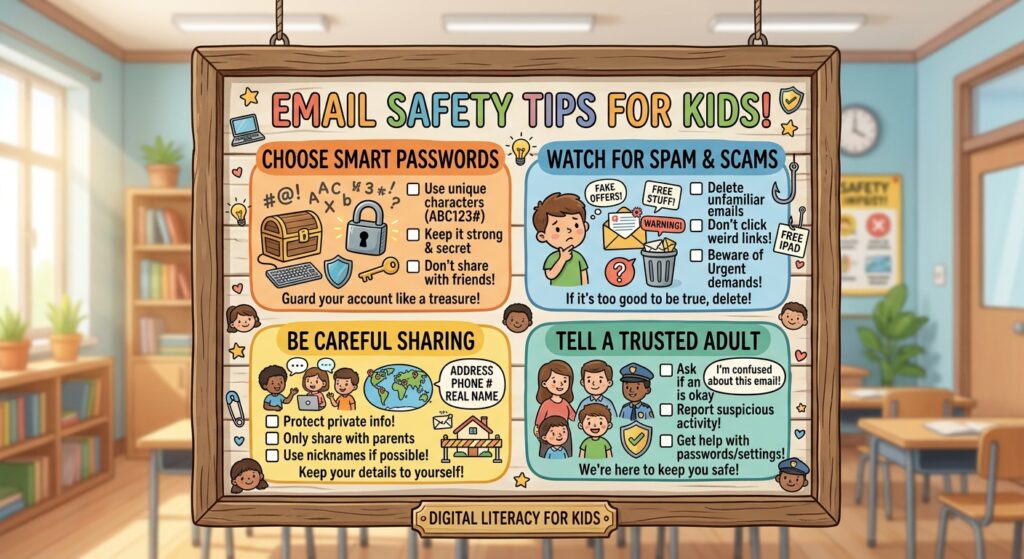
Email Safety for Kids
Email is typically a one to one communication tool. Just like regular mail, you write to someone and they write back. It’s not the flashiest way kids talk to each other anymore, but it’s still how they get school updates, talk to teachers, and connect with family, so it’s worth understanding the risks along with the benefits. Email safety tips for kids is one of the most important tips out there.Did You Know
Spam hasn’t gone away. In fact, more than half of all email sent worldwide, about 52 percent, is spam. The good news is that modern email providers like Gmail, Outlook, and Yahoo catch most of it automatically before it ever reaches an inbox. The bad news is that scammers have gotten a lot more sophisticated than the old “you’ve won a prize” messages from the early internet days. One of the fastest growing threats right now is sextortion, where someone tricks or pressures a child into sharing a sexual image, then threatens to share it unless the child pays money or sends more images. The National Center for Missing and Exploited Children received more than 50,000 reports of financially motivated sextortion in 2025 alone, averaging 137 reports a day, up sharply from the year before. These schemes often start with a friendly seeming message from someone posing as a peer, then quickly move to private messaging apps once contact is made. Email is frequently the first point of contact, even when the rest of the conversation moves elsewhere.Caution
Each email you send or receive shows a return address, and what a lot of people still don’t realize is that a return address can be faked. Just because a message looks like it’s from “grandma@email.com” doesn’t mean grandma actually sent it. Email also carries hidden technical details called headers that show more about where a message really came from. Reading headers takes some digging, but if your child ever gets a message that’s threatening, belligerent, or makes them uncomfortable, report it to your email provider and to the National Center for Missing and Exploited Children’s CyberTipline, or call them at 1-800-843-5678. Report anything involving threats, child sexual abuse material, or other signs of a crime. NCMEC forwards these reports directly to the right law enforcement agencies. Be careful how your child responds to email from people they don’t know. The sender might not be who they claim to be. They should never send a photo of themselves or personal information to a stranger, and they should know that anything they send by email can easily be copied and forwarded to other people, so it’s smart to think twice even when messaging someone they trust. In general, the best move with spam or messages from strangers is to not respond at all. Responding just confirms a real, active inbox is on the other end, which can lead to even more unwanted email. If a message is sexually explicit, violent, or just feels wrong, kids should show it to a parent and report it using the “report spam” or “report phishing” button built into most email apps today, rather than trying to track down an old fashioned postmaster address.Positive Benefits for Your Child
- Staying in touch with teachers, family, and friends
- Getting help with homework
- Building mentoring relationships
- Practicing writing skills
- Receiving school and club newsletters
- Making pen pals from around the world
Dangers and Risks
- Strangers, sometimes pretending to be someone else, reaching out to your child
- Harassing or threatening messages
- Unsolicited spam, usually pushing sexually explicit sites, products, or moneymaking schemes
- Sextortion attempts that start with a friendly message and escalate into threats
Parenting Tips
- For younger kids, use a supervised email account, such as a Gmail account managed through Google Family Link, so you can see what’s coming in and going out.
- As your child gets older, shift from oversight to open conversation. Talk regularly about who they’re emailing and messaging, and why.
- Set a clear rule that your child never meets an online contact in person without a parent there too.
- Report unwanted or unsafe email to both the sender’s provider and your own, using the built in report tools most services offer now.
What Parental Control Tools Can Do
- Give you visibility into a younger child’s incoming and outgoing email through tools like Google Family Link, Microsoft Family Safety, or Apple’s screen time and family sharing settings
- Block email from specific senders or addresses
- Filter out messages containing offensive language or attempts to share personal information